In short: since 2 August 2026, the EU AI Act says realistic AI images, video and audio that could be mistaken for real people, places or events (what the law calls ‘deepfakes’) must be clearly labelled as AI-generated when you publish them. Stylised illustrations and normal photo edits generally don’t need a label, but personal data such as staff faces and customer photos should only go into AI tools your company has a data processing agreement with, and you should describe a look with art movements and techniques rather than copying a living artist’s work.
When I run AI image and video workshops for teams, the creative part is the fun bit, but the questions people really worry about are the practical ones: ‘Are we allowed to post this?’, ‘Do we have to say it’s AI?’ and ‘Can I upload this photo of my colleague?’. So here is everything I tell teams about the EU AI Act, GDPR and copyright, in plain language and without the legal fog. (I’m a designer, not a lawyer, so treat this as practical know-how and check anything high-stakes with your own legal team.)
The rule that matters for marketing teams is Article 50 of the EU AI Act, which has applied since 2 August 2026. The Digital Omnibus that pushed back other parts of the AI Act did not delay it, so it’s in force now.
It splits the job in two:
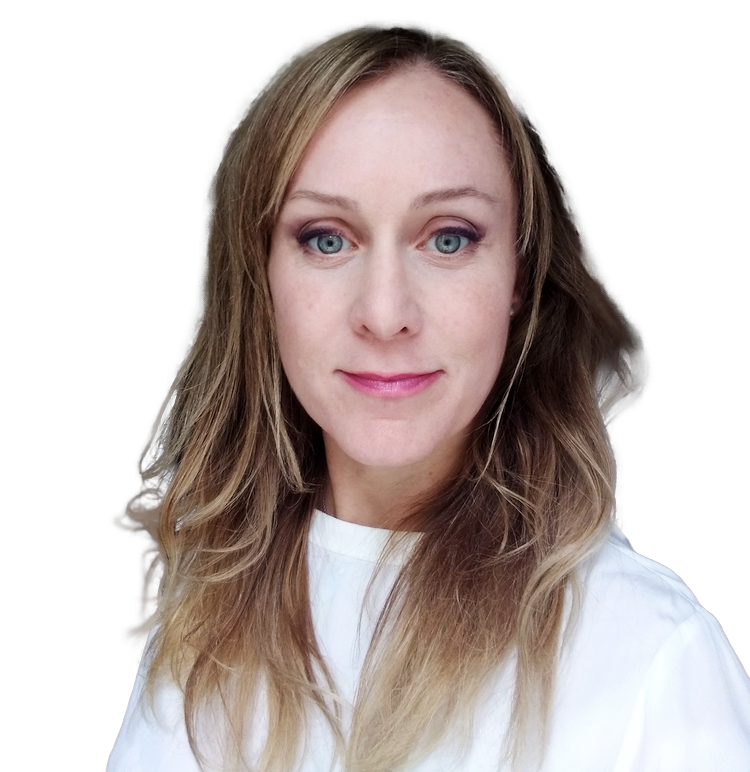
Intent doesn’t come into it, so a perfectly innocent AI-generated presenter in a ‘save the date’ video still counts, because people could reasonably think she’s real. The hero image on this article is a still from exactly that kind of video, which I made with Veo for an events company workshop, and it’s the textbook example of something that needs an ‘AI-generated’ label.
For artistic, creative or satirical work the label can be lighter, so it doesn’t spoil the work, but it still needs to be there.
The AI Act covers content that is AI-generated or AI-manipulated, so starting from your own real photos doesn’t take you outside the rules. What matters is what the finished image or video shows, and whether someone could take it for something that really happened.
I made a fundraising video for a dog rescue charity this way, using real photos of the rescue dogs and morphing one into the next with AI video tools. Because the morphs are an obvious effect it sits in the creative category, and a small note like ‘Created with AI from real photos of our dogs’ on the end card covers it. For a charity it also helps, because it tells donors the dogs themselves are real.
Two more things apply whenever you start from real material. You need the right to use the photos or footage in the first place, and anyone recognisable in them needs to have agreed to it, especially before you upload them to an AI tool.
The safest approach is a short, readable label in the image or video itself, such as ‘AI-generated’ or ‘Created with AI’, that people see straight away rather than having to go looking for it. A note buried in the caption, the metadata or your terms and conditions may not be enough, and your logo or watermark doesn’t count because it identifies you, not the AI.
The European Commission has a voluntary Code of Practice and optional icons for this, and social platforms like Instagram, TikTok and YouTube have their own ‘made with AI’ switches, which are worth using too, although they’re platform rules and don’t replace the label in the image. My own rule of thumb for teams is simple: if it’s realistic, label it, in print as well as online, and you’ll never have to worry about it.
Breaking the rules can cost up to €15 million or 3% of worldwide turnover, with the lower figure applying to smaller companies, and in Germany the Bundesnetzagentur is in charge of enforcing it. That’s a big number for something that takes two seconds to avoid.
GDPR is less about what you publish and more about what you upload. Every time someone drops a photo into an AI tool, they’re sharing it with that company, so the question is always ‘would we be happy for this tool to have this?’.
Tools used on a business plan or company account with a data processing agreement (a ‘DPA’, sometimes called an AVV in Germany) are generally fine for work, ideally ones that store data in the EU and don’t train on your uploads. In my workshops that usually means Adobe Firefly, Canva, Gemini on a company account and ChatGPT Business.
Midjourney is brilliant for general creative images, but images are stored in the USA and are public on its cheaper plans, so I keep it to ideas and illustrations rather than anything personal or confidential. And I don’t recommend tools like Kling or Seedance for company data at all, because they’re run by Chinese companies and it’s much harder to check how they handle what you upload, so they’re for experimenting with ideas only.
An art style on its own generally isn’t protected by copyright, so asking for ‘Art Nouveau’, ‘risograph’ or ‘mid-century travel poster’ is fine. An artist’s actual artworks are protected though, so uploading their work as a reference image or closely copying a specific piece is where the risk is.
It’s worth knowing that this protection doesn’t end when the artist dies. In the EU and the UK an artwork stays in copyright until 70 years after the end of the year the artist died, so the work of someone who died in 1990 is protected until 2061. Artists who died more than 70 years ago, like Alphonse Mucha or Gustav Klimt, are now in the public domain in Europe, which is why their work turns up on so many products.
Naming living artists in your prompts is also worth avoiding even where it’s legal, because it can reflect badly on your brand if anyone notices, and the artist community does notice. The better habit is to describe the look you want with art movements, techniques, colours and materials instead, which also tends to give you more original results. I built a free Art Styles for AI Prompts tool for exactly this, with 174 styles grouped by movement and example images for each one.
Two more things teams often miss:
You don’t need a 20-page document to get this right. Most teams I work with do well with five rules on one page:
Do all AI images need to be labelled under the EU AI Act? No. The visible label is required for realistic images, video and audio that could be mistaken for real people, places or events. Clearly stylised illustrations and normal photo edits generally don’t need one, although many companies choose to label all AI content anyway.
When did the AI Act labelling rules start? Article 50 has applied since 2 August 2026, and it was not delayed by the Digital Omnibus. Tool makers whose products were already on the market before that date have until 2 December 2026 to add machine-readable marking.
Is a caption saying ‘made with AI’ enough? The safest option is a short label in the image or video itself that people see straight away. A note only in the caption, the metadata or your terms and conditions may not count as a clear disclosure.
Do AI-edited real photos and videos need a label? Light edits like colour correction, cropping or removing small objects don’t. If AI animates real people or animals, or changes a scene so it shows something that never happened, label it. Obvious creative effects like morphs only need a short ‘Created with AI’ note.
How long is an artist’s work protected by copyright? In the EU and the UK, until 70 years after the end of the year the artist died. After that the work is in the public domain.
Which AI image tools are safe to use with company data? Tools on a business plan or company account with a data processing agreement, such as Adobe Firefly, Canva, Gemini on a company account and ChatGPT Business, are generally fine. Keep Midjourney to general creative images, and don’t use tools like Kling or Seedance with company data.
Can we use an artist’s name or style in an AI prompt? An art style on its own generally isn’t protected by copyright, but an artist’s actual artworks are, so don’t upload or closely copy their work. Describing the look with art movements and techniques is the safer and more original approach.
If you’d like your whole team to feel confident with AI images and video, from choosing the right tool to labelling and GDPR, I run a live, online AI images & video workshop for teams, in English and tailored to what your team makes. You can also grab the free AI images & video cheat sheet, which has all of the safety rules above on one page, and if you’re learning on your own, my short online course AI Images & Video Made Simple shows you how to make the images and videos themselves.
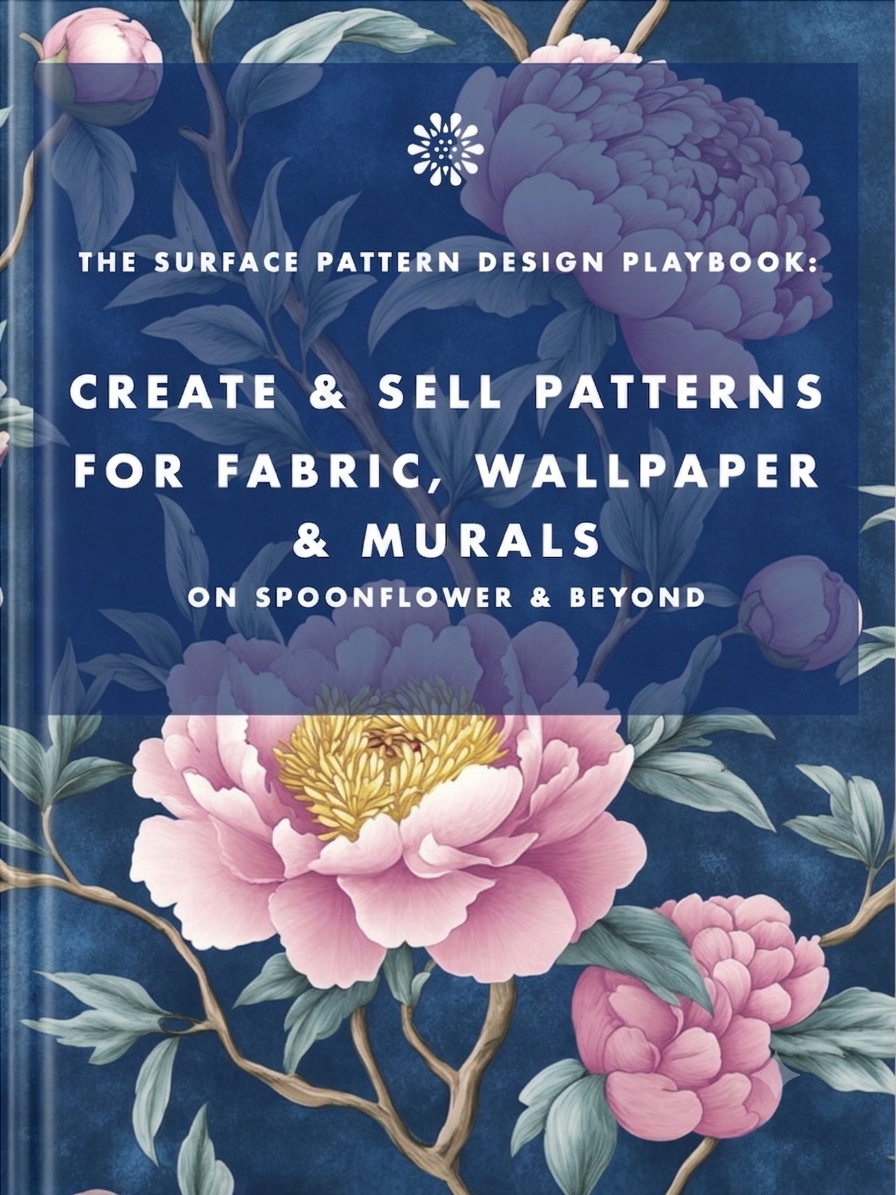
Earn from your design skills
Create & sell patterns for fabric, wallpaper & murals — on Spoonflower & beyond. Client-free, commute-free, creative work you can do from anywhere.
See the book →
"That makes total sense! Out of curiosity…" are typical sentence snippets in your messages if you're talking to a bot.

A real look at how I use Claude Code, Claude Cowork, Figma and more to design, build and market TickLists, my websites and my Spoonflower patterns, solo.
Job seekers who keep running the old employment playbook are playing a game whose rules have already changed. Here's what's happening in the design job market, and why leverage, not talent, is what separates who's finding traction.
Keep your design skills up to date with videos,
AI workflows, tutorials, ways to earn $$$ and free resources.
See past email newsletters.
Unsubscribe anytime.